
You’ve probably run into the words “schema” or “schema markup” before. Maybe it showed up in your SEO plugin, or someone told you to “add schema” to your site, and you nodded along while quietly wondering what that actually means and whether you need to care.
Since you found this post, you’re in luck! I’m going to explain it all to you. It’s a bit technical, but I promise you won’t have to become a programmer to learn about schema markup or add it to your website. In this post, we’ll cover what schema markup is, whether it’s actually worth your time, how to pick the right type, and the schema types almost any website should have, no matter what kind of business you run.
What Schema Markup Actually Is
Schema markup is a bit of code you add to your website that spells out, in a format machines can understand instantly, who you are, what you do, where you do it, and more. Your pages already say all of this in words. The markup says it again in a structured way that leaves no room for guessing.
One quick word on wording, since “schema” and “schema markup” often get used like they’re the same thing. “Schema” is the shared vocabulary, basically a dictionary of labels for describing a business, a product, a person, and so on. It’s documented at schema.org, a project founded by Google, Microsoft, Yahoo, and Yandex. “Schema markup” is the code you add to your site that uses that vocabulary to describe your specific business. Schema is the language; the markup is what you write in it. Many people say “schema” for both, which is fine as long as you remember the markup is the part you actually add to your pages.
While we’re on vocabulary: you’ll also hear Google call this “structured data.” That’s basically their name for schema markup. Structured data is what you add to your page; “rich results” are what you might get in return on the search engine results page. Those are search listings with extra built-in features, such as star ratings, images, or prices, instead of a plain blue link. One important catch: valid structured data makes you eligible for rich results, but it doesn’t guarantee them. Google decides whether to show them, and for which searches.
Does Schema Markup Help You Rank? The Honest Answer
This is the question everyone asks, so let’s be straight about it.
Schema markup probably isn’t a direct ranking factor in many cases. You can’t add it and expect to climb the results across the board. What it actually buys you is visibility, and that comes in two flavors.
First, some schema types make you eligible for richer search results, the listings with extra detail that take up more space and pull more clicks. That’s a visibility win on its own, and more engaged visitors never hurt. Eventbrite even saw a 100% increase in traffic when they started using Event schema.
Second, schema markup gives search engines and AI tools a clean, unambiguous set of facts about your business. When someone asks ChatGPT or Claude for a recommendation, the businesses that get pulled into the answer are the ones whose information is easy to read and trust. Structured data is one way to hand that over on a silver platter instead of making them dig through your page copy and hope for the best.
So when people say wrong or missing schema might be why you’re getting overlooked, it doesn’t mean schema is tanking your ranking. It means search engines and AI may not understand you well enough to surface you with confidence, and your listing may not stand out enough to earn the click.
This isn’t a fringe tactic, either. Google publishes its own guide to structured data, so adding it is squarely what search engines want you to do. And a recent controlled study found that at least one schema type, LocalBusiness, didn’t move Google rankings but did improve how often ChatGPT recommended the business. That’s the whole point in one sentence: not ranking, but visibility.
How to Pick the Right Schema Type
There are a lot of schema types, but you don’t need most of them. Three simple rules keep you out of trouble.
- Use the most specific type that genuinely fits. There’s a general type for many things and often a more specific one underneath it. The more specific and accurate you can be, the better, as long as it’s a real type on schema.org and it truly applies to you.
- Let each page’s schema describe what that page is actually about. Your homepage is about your brand. A blog post is about an article. A contact page is about your business. You match the markup to the page, instead of stamping everything everywhere.
- Never mark up something you don’t actually have. Schema is a description of your real business, not a wish list. If you invent details or tag yourself as something you’re not, you misrepresent your business, and that can cost you trust with both search engines and customers.
The Schema Types Almost Any Website Should Have
With those rules in mind, here are the types that earn their place on most websites. You won’t necessarily add all of them by hand, since your SEO plugin handles several automatically, but it helps to know what each one does.
Organization: Who Your Business Is
If you only add one thing from this post, make it this. Organization is the brand-identity schema, and it works for any business that’s not just a person, whether or not you have a physical location. No storefront? This is your starting point.
Organization describes your brand at the top level: your business name, your logo, your website, your social profiles, and how people can reach you. It lives on your homepage and acts as the anchor that the rest of your site can point back to. It’s how you tell search engines and AI, in plain machine-readable terms, “this is who we are.”
Now, remember when I said you should use the most specific type that genuinely fits? Organization has several sub-types, and one of those is LocalBusiness. If your business is eligible for a Google Business Profile because you either have a physical location or a service area where you serve your customers in-person, you might be eligible for LocalBusiness. I walk through that in the local business post. And if you have several locations, there’s a specific way to connect them all to one brand, which is covered in the multiple locations post.
BreadcrumbList: Where a Page Lives on Your Site
BreadcrumbList describes the trail that shows how a page fits into your site, like Home > Services > Massage Therapy. You’ve seen these little paths near the top of a page, and sometimes in the search result itself.
This one can earn a rich result for some websites! Google sometimes shows breadcrumb trails on desktop search results (but not mobile). The good news is you might not have to lift a finger for this one. If you’re using WordPress, some SEO plugins, like SEOPress, generate breadcrumb markup automatically once you turn the feature on, so for a lot of people, this is less “add it” and more “confirm it’s already there.”

Article and BlogPosting: For Your Blog Posts
If you have a blog, Article or BlogPosting schema markup helps search engines understand each post: the headline, who wrote it, and when it was published. It gives your content a clear identity instead of leaving search engines to piece it together from the page. For most blogs, they won’t produce a flashy, rich result on their own (those are mostly limited to news and Top Stories), but they still help search engines, and AI make sense of your posts.
Like breadcrumbs, this is often handled by your SEO plugin (if you’re using WordPress) or website builder, which adds it to your posts for you. It won’t transform your traffic on its own, but it’s part of helping search engines and AI tools make sense of what you publish, and it pairs nicely with the next one.
Person: The Expert Behind the Content
Person describes a real human, and for most business owners, that human is you, the author and expert behind your content. This connects to the idea of experience and expertise that search engines increasingly care about. When real, knowledgeable people stand behind content, it’s more trustworthy, and your markup can make that connection clear.
Person schema links you as the author of your articles and ties back to your About page, building you up as a recognizable name rather than an anonymous byline. There’s no flashy rich result attached to it by itself, but over time it helps search engines and AI understand who you are and what you’re an authority on. If you publish content under your own name, it’s worth including, and your SEO plugin or website builder might already do it for you.
FAQPage: Helpful Questions and Answers
FAQPage marks up a list of questions and answers on your page. This one comes with the most nuance right now, so here’s the honest read.
Google fully retired FAQ rich results in May 2026, so the markup no longer earns you an expanded question-and-answer dropdown in search. Don’t add it expecting a feature on the search engine results page, because that’s gone.
What still matters is the Q&A content itself. Clear, self-contained answers to real questions are exactly what voice search, featured snippets, and AI tools reach for when they’re assembling an answer. Adding FAQPage schema is low-effort and harmless, and it may help machines parse your answers more cleanly, so it’s reasonable to keep or add it if your plugin makes it easy. Just keep your energy on writing genuinely useful answers, and ignore anyone promising a guaranteed AI boost from the markup alone. Nobody has proven that, and the content is doing the real work.
By the way, if you’re using Kadence blocks in WordPress and put your FAQ in an accordion block, you can toggle a setting to have it automatically include FAQPage markup. Otherwise, you might need to manually add the code yourself (more on that in a bit).
How to Add Schema Markup Without Writing Code
You’ve got two paths, and most people use both.
The first is your website builder. If you’re on WordPress, SEO plugins like SEOPress, Yoast, and Rank Math generate some schema markup automatically. A lot of this is a matter of turning the right settings on and filling in your business details once. Squarespace and Wix also create some schema markup automatically. You can check to see which schema markup a page already has by running it through the Schema.org Validator. If it times out (which sometimes happens if you’re using a firewall to protect your website from bots), you might need to copy the code from the page and run it that way. Or you can try Google’s Rich Results Test, but it only shows schema markup that triggers rich results.
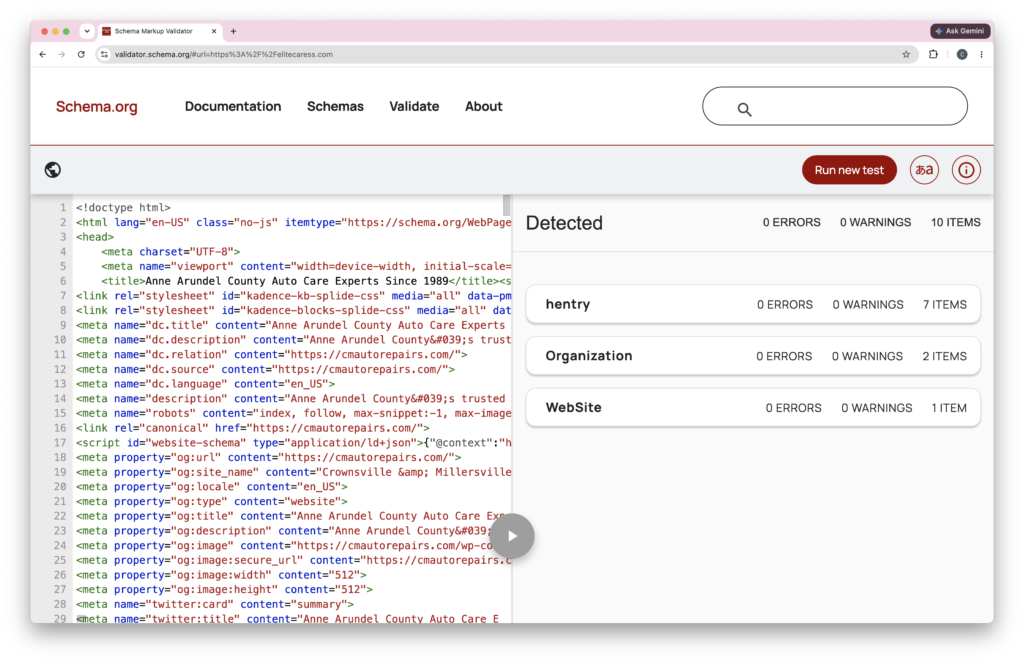
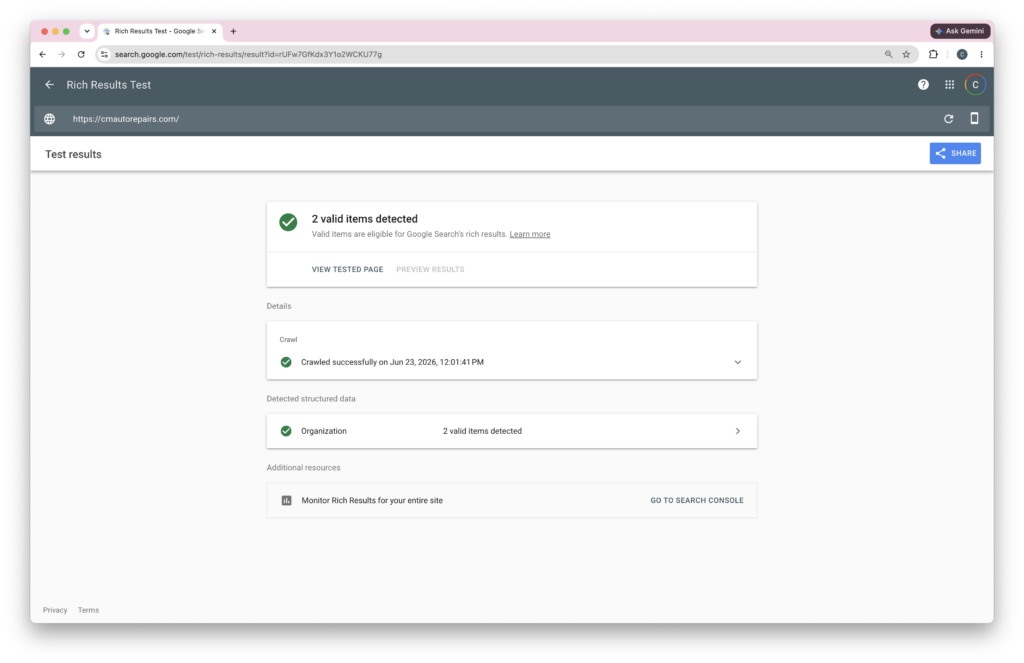
Another way to do it is to get an AI tool to write the code for you. Paste the prompt below into ChatGPT, Claude, or another AI tool, drop in your website address, and let it do the heavy lifting. It should read your site, confirm details with you, and refuse to make up anything it can’t find.
You are an SEO specialist who writes valid schema.org structured data as JSON-LD.

I want Organization schema markup for my brand to put on my homepage. My website is: [YOUR WEBSITE URL]

Work in this order:

Step 1: Review my website (homepage and about page) and gather the brand-level details: business name, logo, website URL, a main contact method, and links to my social profiles. If you cannot open my website, tell me and I will paste in those pages.

Step 2: Before writing any code, show me what you found and ask me to confirm my business name and fill in anything missing.

Step 3: After I reply, generate the schema using these rules:
  - Use the Organization type. If I have a physical location that customers visit, tell me I should use LocalBusiness instead, and stop.
  - Give it a stable @id using my domain plus "#organization" (for example, https://mybusiness.com/#organization).
  - Include these properties wherever I have real information: name, url, logo, sameAs (my social links), and a contactPoint.
  - Never guess, invent, or use placeholder values. Leave out anything I did not provide.
  - Output the schema as valid JSON-LD in one <script type="application/ld+json"> block for my homepage.
  - After the code, list anything you left out and anything I should double-check.
Wherever you get your code, the same rule from the deep-dive posts applies: put each block on the page it describes. Your Organization block goes on your homepage, not on every page of your site.
Important: even though the prompt tells the AI not to use placeholders, it might still use placeholders. So check the code to see if that happens, and replace placeholders with real content wherever they appear. Yes, it’s code, and that might be a little scary, but I bet you can still find what you’re looking for. And if you can’t, come to the next Q&A session for the SEO Success Club, and I can help you.
Validate Before You Add It
Once you’ve got your code, check it before you add it to your website. Run each block through the Schema.org validator and fix anything flagged as an error. A few warnings are usually fine, but errors mean something’s actually broken.
Add the Code to Your Website
After you validate the code, you need to add it to the relevant page on your website. How you do that will depend on which website builder you use. Check your website builder’s documentation to see how to add custom code to the “head” of a specific page.
Test the Page
After you publish, test the page in the Schema.org validator again. You can also test the live page with Google’s Rich Results Test to see what you’re eligible for. If you have Google Search Console set up, keep a loose eye on its structured data reports too. That’s it. No ongoing babysitting required, but if your business details change, the related schema markup should change with them.
Where to Go From Here
This post is your foundation. Where you head next depends on your business:
- If customers come to a physical location you operate, add
LocalBusinessschema, the storefront version of the Organization block above. It’s covered step by step in Schema Markup for Local Businesses, Made Simple. - If you have more than one location, there’s a specific way to connect them all to your brand without confusing search engines. That’s in LocalBusiness Schema Markup for Multiple Locations.
- If you publish events, videos, or recipes, each has its own schema worth adding. I’m covering those in a separate post, coming soon.
Frequently Asked Questions
Your Next Small Step
You don’t have to add all of this at once. Take the very first step this week and add the Organization schema markup if it applies to your business. That alone puts you ahead of many of the websites you’re competing with, the ones that either skipped schema entirely or got the type wrong and never knew.
When you’re ready to continue, check out the other posts in this series:
- Schema Markup for Local Businesses, Made Simple
- LocalBusiness Schema Markup for Multiple Locations
- How to Add Service and Product Schema Markup
If you’d like a guided path through the rest of your SEO with people who’ll cheer you on when you get stuck, come join us in the SEO Success Club. You’ve got this!